









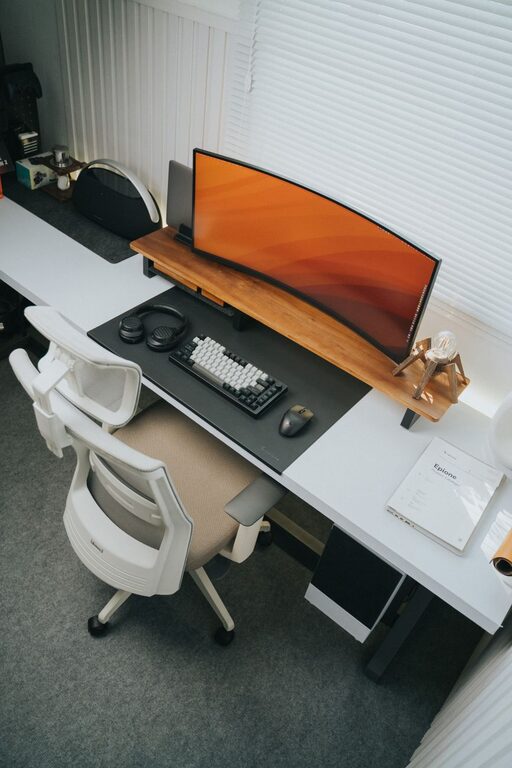
Creating an organized home workspace is essential for maintaining focus and boosting productivity, especially when working remotely or managing tasks at home. A cluttered or poorly arranged area can lead to distractions, stress, and inefficiency. Fortunately, with some thoughtful planning and practical strategies, you can design a workspace that promotes concentration and helps you work smarter.
In this post, we will explore effective ways to optimize your home workspace, covering everything from decluttering to ergonomic setup and time management.
1. Choose the Right Location
Selecting a suitable spot in your home for your workspace sets the foundation for productivity. Ideally, look for a quiet area with minimal foot traffic and distractions.
– Natural light: Position your desk near a window to benefit from natural light, which can reduce eye strain and boost mood.
– Privacy: If possible, choose a separate room or a corner sectioned off to give you a sense of separation between work and home life.
– Comfort: Make sure the space has adequate ventilation and temperature control to keep you comfortable throughout your workday.
2. Declutter and Simplify Your Workspace
Clutter can hinder your ability to concentrate and quickly find important items. Keep your workspace clean and minimalist by regularly clearing unnecessary items.
– Remove everything from your desk and only put back essential items such as your computer, notebook, and necessary office supplies.
– Use cable organizers or clips to keep wires untangled and out of sight.
– Consider storage solutions like drawers, shelving, or containers to tuck away supplies and paperwork.
3. Organize with Purpose: Storage and Layout
Efficient organization systems help you maintain order over time and reduce distractions.
– Desk organizers: Use trays, pen holders, and file sorters to keep tiny items in place.
– Shelving: Wall-mounted shelves can free up desk space and provide areas for books and reference materials.
– Labeling: Label shelves, boxes, and files to streamline retrieval and reduce time spent searching.
Arrange your workspace so that frequently used items are within arm’s reach, and less used materials are stored further away.
4. Invest in Ergonomics
Comfortable furniture and proper setup increase productivity by reducing physical strain.
– Chair: Choose an adjustable chair with good lumbar support.
– Desk height: Your desk should be at a height that allows your elbows to rest at a 90-degree angle while typing.
– Screen position: Your monitor should be at eye level and about an arm’s length away to prevent neck strain.
– Consider using a keyboard tray or wrist rest to maintain natural hand posture.
5. Personalize Without Overdoing It
Adding personal touches can make your workspace inviting but avoid decorations that become distractions.
– Incorporate a few items such as a plant, a photo, or artwork for a pleasant atmosphere.
– Keep these items minimal to maintain a clean and professional environment.
6. Establish a System for Managing Paperwork
Physical documents can quickly pile up if not managed properly.
– Use an inbox tray for incoming papers that need attention.
– Sort documents regularly—recycle or shred what you no longer need.
– Use folders or binders to organize important files by category.
– Consider digitizing documents to reduce physical clutter.
7. Use Technology to Stay Organized
Digital tools can complement your physical organization.
– Use calendar apps to schedule tasks and deadlines.
– Take advantage of note-taking apps to keep ideas and to-dos organized.
– Set up reminders and alarms to maintain your work schedule.
8. Maintain Cleanliness Daily
Make tidying your workspace part of your daily routine.
– Spend 5-10 minutes at the end of each day clearing your desk and putting things back in their place.
– Clean your keyboard, mouse, and desk surface regularly to keep your space hygienic.
9. Designate Work Hours
Having clear start and end times helps create boundaries and maintain focus.
– Stick to a routine that suits your productivity peaks.
– Use time-blocking techniques to schedule work and breaks.
– Communicate your schedule to family members or housemates to minimize interruptions.
10. Regularly Reassess and Adjust
Your needs and work habits may change over time.
– Periodically evaluate your setup and organization system.
– Make adjustments to improve comfort, efficiency, or adapt to new tasks.
—
By applying these effective strategies, you can transform your home workspace into a productive, comfortable, and organized environment. The key is to create a space tailored to your needs that minimizes distractions and supports your daily workflow. With consistency and care, your organized office will help you stay focused and achieve your goals.