



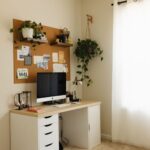




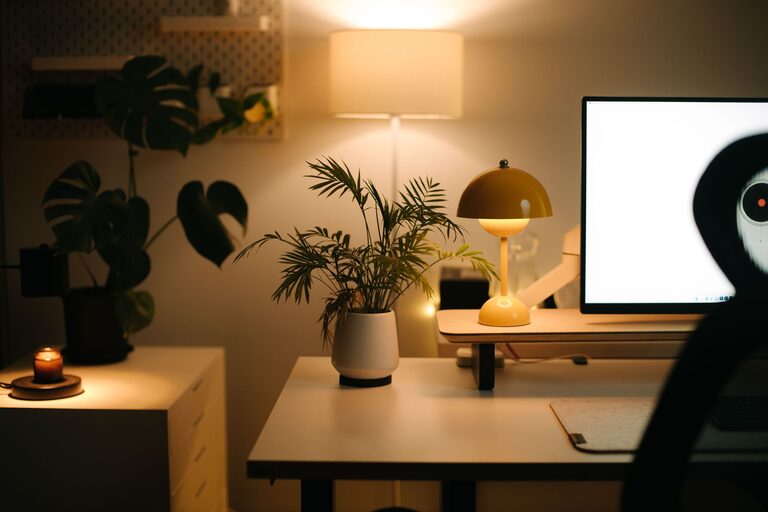
Creating a home office that feels cozy and inviting is an excellent way to enhance your work experience, especially if you spend significant time working from home. A space that combines comfort with functionality can improve focus, reduce stress, and even boost creativity. Whether you have a dedicated room or just a small corner, you can design a workspace that welcomes you each day. Here are some helpful tips to get you started.
Choose the Right Spot
The first step is selecting the perfect location in your home for your office. Ideally, find a quiet area with minimal foot traffic and distractions. If you can, pick a space with natural light, like near a window, which helps reduce eye strain and elevates your mood. But if natural light isn’t an option, don’t worry—good lighting can still be accomplished with the right fixtures.
Focus on Comfortable Furniture
Invest in an Ergonomic Chair
Comfort starts with your chair. An ergonomic chair supports your posture and reduces discomfort during long hours. Look for one with adjustable height, lumbar support, and cushioned seating.
Pick a Functional Desk
Your desk should match your needs and available space. It’s best if the height allows your arms to rest comfortably while typing. Consider desks with drawers or shelves to keep your work materials organized.
Optimize Lighting
Good lighting is key to making your workspace inviting and easy on the eyes.
– Natural Light: Use sheer curtains to soften sunlight without losing brightness.
– Overhead Lighting: Choose warm, bright bulbs to illuminate the entire room evenly.
– Task Lighting: Add a desk lamp with adjustable brightness for focused work.
Personalize Your Space
Adding personal touches can make your office feel more welcoming and less sterile.
– Artwork: Hang prints or paintings that inspire you.
– Plants: Greenery adds life to any room and can improve air quality.
– Accessories: Choose items like a stylish clock, decorative organizers, or a colorful rug to enhance your office vibe.
Keep It Organized
Clutter can distract and disrupt workflow. Use organizers such as trays, file holders, or drawer dividers to keep your desk tidy. Label storage containers to find things easily, and make it a habit to clear your workspace at the end of each day.
Incorporate Soft Textiles
Adding soft textures helps soften the room’s atmosphere and makes it more comfortable.
– Rugs: A snug rug can warm up a hard floor and define your office area.
– Throw Blankets and Cushions: Use these on your chair or nearby to add a cozy feel.
– Curtains: Choose fabric curtains to add softness and control ambient light.
Control Noise and Distractions
If noise is a challenge, consider solutions to reduce distractions.
– Use noise-canceling headphones or earplugs.
– Add soft furnishings like rugs and curtains to dampen sound.
– Background music or white noise can sometimes help maintain focus.
Optimize Technology Setup
Arranging your technology thoughtfully can reduce frustration and make your space more user-friendly.
– Position your monitor at eye level to avoid neck strain.
– Use cable management tools to keep cords neat and out of the way.
– Ensure your internet connection is stable, and have necessary devices within reach.
Add Inspiring Elements
Inspiration fuels productivity. Include items or setup features that motivate you.
– A vision board or calendar with goals.
– Books or magazines related to your work.
– A space for jotting quick notes or ideas.
Maintain Good Air Quality
Good airflow keeps your workspace fresh and helps concentration.
– Open windows when possible.
– Use an air purifier or a small fan if needed.
– Choose low-maintenance plants that improve air quality.
Final Thoughts
Designing a cozy and inviting home office doesn’t have to be complicated or expensive. By focusing on comfort, organization, lighting, and personal touches, you can create a space where you enjoy spending time and doing your best work. Remember, your home office should reflect your style and support your needs, making your workday smoother and more pleasant. Happy decorating!