

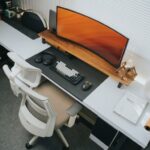

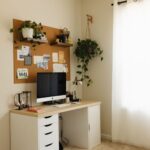



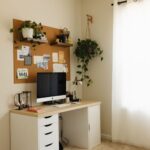


Creating a cozy and functional home office space can transform the way you work from home. Whether you’re new to remote work or just want to enhance your current setup, a well-designed office can boost your focus and comfort. Here are practical tips to help you design a workspace that feels inviting while supporting productivity.
Choose the Right Location
Before buying furniture or setting up your equipment, consider where in your home you want your office to be. Ideally, pick a quiet spot with minimal distractions. Natural light is a big plus because it helps improve mood and reduce eye strain. If possible, place your desk near a window to benefit from daylight.
Invest in Ergonomic Furniture
Comfort is key when spending hours at your desk. Select a desk and chair that support good posture:
– Chair: Look for adjustable height, lumbar support, and comfortable padding.
– Desk: Choose a size that fits your work essentials without feeling cramped. Standing desks or adjustable desks offer flexibility.
Remember to position your monitor at eye level to keep your neck aligned and reduce strain.
Optimize Lighting
Proper lighting helps minimize fatigue and makes your workspace feel inviting.
– Use a combination of overhead lights and task lighting, such as a desk lamp.
– Avoid harsh fluorescent lighting.
– If natural light isn’t ample, opt for warm LED bulbs to create a cozy atmosphere.
Organize With Storage Solutions
Clutter can hinder productivity. Keep your workspace tidy by using storage options like:
– Shelves to display books or decorative items.
– Drawers or filing cabinets for papers and office supplies.
– Desk organizers for pens, sticky notes, and gadgets.
A clean desk fosters a focused mind.
Personalize Your Space
Adding touches that reflect your style can boost motivation. Consider:
– Artwork that inspires you
– Plants to add a touch of greenery and improve air quality
– A cozy throw or cushion for your chair
– Motivational quotes or calendars
Make sure personalization doesn’t overcrowd the desk area.
Manage Cables and Technology
Messy cables are both distracting and hazardous. Use cable clips, sleeves, or boxes to keep wires organized and out of sight. Ensure your internet connection is strong and set up any necessary devices, such as printers or external monitors, for efficient workflow.
Maintain Good Air Quality and Temperature
Comfort also depends on the air you breathe and the room temperature. Keep windows open when feasible or use an air purifier. A small fan or heater can help maintain a comfortable environment year-round.
Set a Routine and Boundaries
Finally, a cozy and functional home office isn’t only about the physical space. Establish a work routine and designated hours to separate work from personal life. Use noise-canceling headphones or a “do not disturb” sign to signal when you are focused.
—
By combining comfort and practicality, your home office will become a place you look forward to using every day. Start with these tips to create a space that supports both your wellbeing and your work goals.