

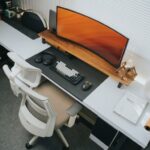

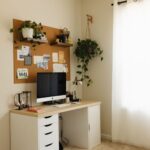




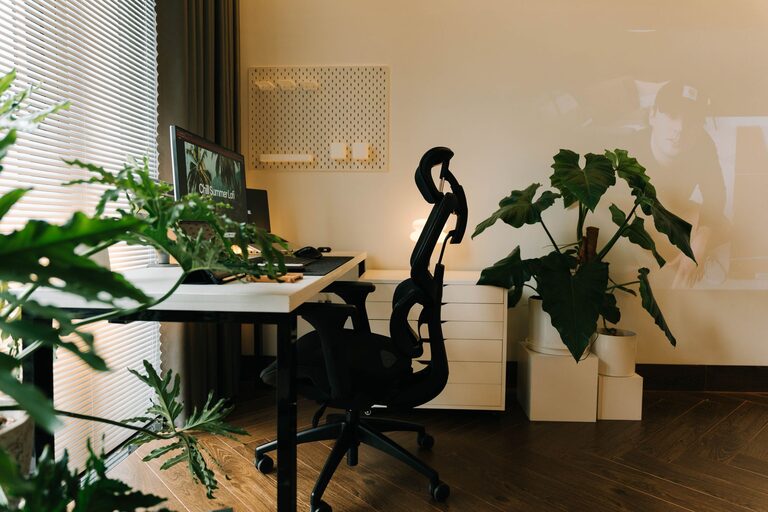
Creating a cozy and inviting home office space is essential for anyone working from home or managing tasks in a comfortable environment. A well-designed workspace can improve focus, reduce stress, and make your workday more enjoyable. Whether you have a dedicated room or a small corner, these tips will help you craft a home office that feels welcoming and functional.
Choose the Right Location
The first step in creating a comfortable office is selecting the best spot in your home. Ideally, pick a quiet area with minimal distractions. Natural light is a huge plus, so try to position your desk near a window if possible. If you don’t have access to natural light, invest in good quality lighting that mimics daylight to help reduce eye strain.
Invest in Comfortable Furniture
Comfort is key in any workspace. Choose an ergonomic chair with good back support to keep you comfortable during long working hours. Pair it with a desk that fits your space and meets your functional needs. Standing desks or adjustable desks can add flexibility, allowing you to switch between sitting and standing as you work.
Consider these furniture tips:
– Use a desk with enough surface area for your computer, paperwork, and accessories.
– Add a footrest if your feet don’t comfortably reach the floor.
– Include a small filing cabinet or shelves for storage to keep things organized.
Add Personal Touches
Your office space should reflect your personality to make it feel inviting. Decorate with items that inspire and motivate you, such as artwork, photos, or plants. Greenery not only brightens the room but also helps improve air quality and mood.
Ideas for personalizing your office:
– Hang a bulletin board or whiteboard for notes and motivation.
– Use colorful or patterned cushions or rugs to add warmth.
– Display meaningful objects or souvenirs that bring you joy.
Keep the Space Organized
Clutter can distract and create stress. Use storage solutions that fit your style and help keep your desk clear.
Organizational tips include:
– Use desk organizers for pens, papers, and supplies.
– Utilize vertical shelves or wall-mounted storage to save space.
– Schedule regular cleanups to maintain tidiness.
Optimize Lighting
Good lighting reduces eye strain and creates a positive atmosphere.
Lighting suggestions:
– Use a combination of natural light, overhead lights, and desk lamps.
– Opt for warm light bulbs to create a cozy feeling.
– Avoid harsh fluorescent lights or glare on your computer screen.
Manage Noise Levels
A quiet environment supports concentration. To reduce noise:
– Use noise-cancelling headphones or play soft background music.
– Add rugs, curtains, and upholstered furniture to absorb sound.
– If sharing space, consider room dividers to create boundaries.
Incorporate Technology Thoughtfully
Technology is essential, but wires and gadgets can clutter your space.
Tech tips:
– Use cable organizers to keep cords neat and out of sight.
– Position your monitor at eye level to avoid neck strain.
– Choose wireless devices where possible to minimize clutter.
Create Relaxing Break Areas
Taking short breaks helps refresh your mind. In larger spaces, consider including a cozy chair, small sofa, or meditation corner to unwind during breaks. Add soft cushions or throws to enhance comfort.
Use Calming Colors
Colors impact mood and productivity. Choose soft, neutral tones such as light blues, greens, or warm grays to promote calmness. If you prefer brighter hues, balance them with neutral accents to avoid overstimulation.
Final Thoughts
Designing a cozy and inviting home office is about balancing comfort, functionality, and personal style. Even small changes can make a significant difference in how you feel and perform while working at home. Prioritize your comfort, stay organized, and create a space that motivates you to focus and enjoy your workday. With these tips, your home office can become a favorite place to get things done.